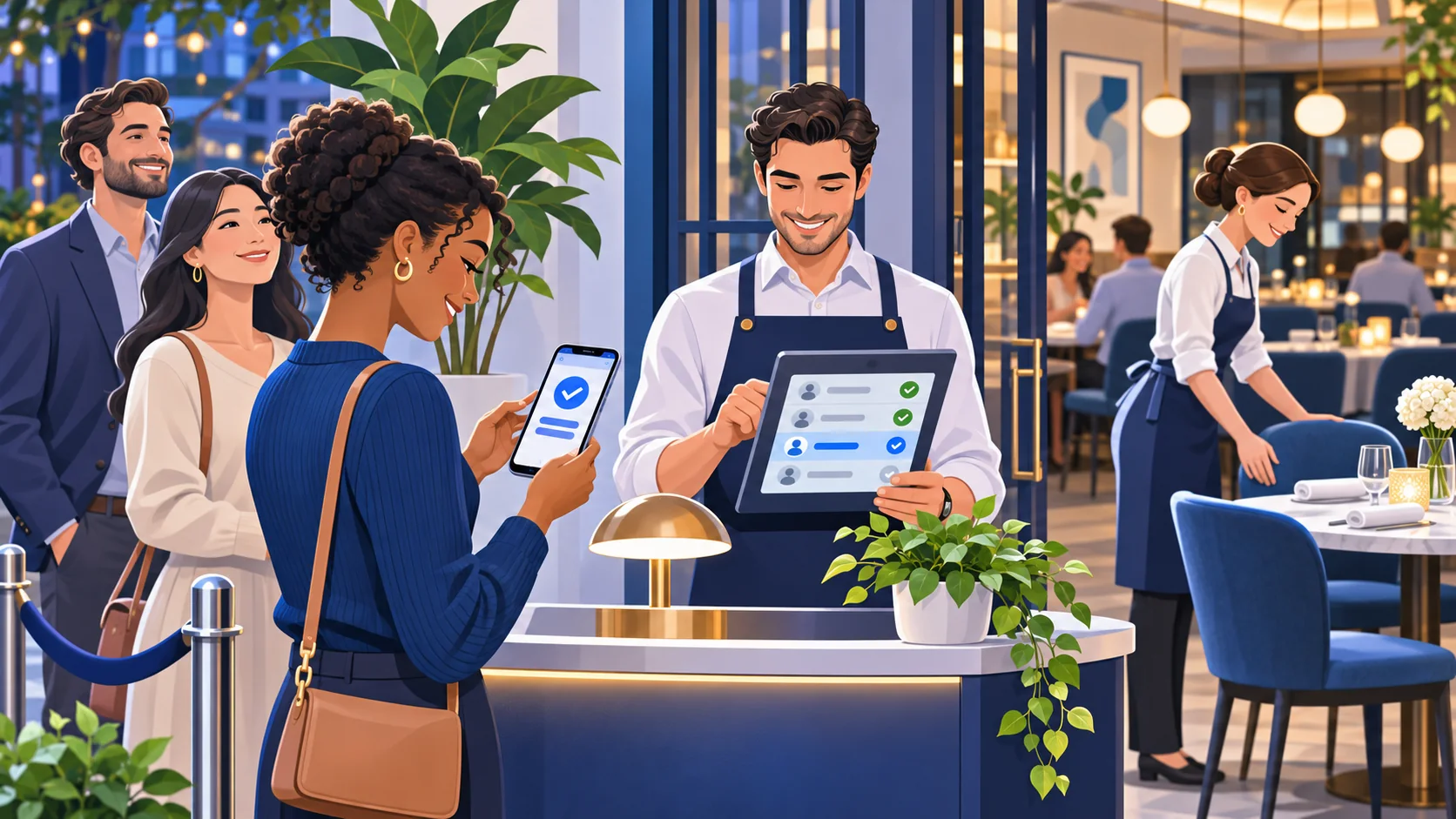
Treat guest check-in as a service workflow, not a table promise
A restaurant guest check-in can help the front-of-house team record arrivals, see which visits remain open and complete a visit consistently. It should not quietly become a reservation book, a quoted wait-time engine or a table-assignment system unless the software actually performs those functions. The first operating rule is to describe the tool according to what it records: an arrival, an open visit and a staff completion action.
That distinction protects the guest experience. If a confirmation screen says that a party is on a waitlist, the restaurant needs a reliable queue position, party-size rules, quoted-time logic, no-show handling and a clear way to notify the guest. A general check-in record does not establish any of those facts by itself. Staff should never promise that a scan reserves a table or fixes a place in line when it only records contact and arrival information.
ReviewDoctor currently supports station-based check-in, a private owner and staff logbook, open and completed visit states, optional consented feedback follow-up and an optional limited-name waiting-area display. It does not replace the restaurant’s reservation or table-management system. A restaurant can use it alongside those systems, but employees need one documented source of truth for seating decisions.
Map the front-of-house journey before configuring a form
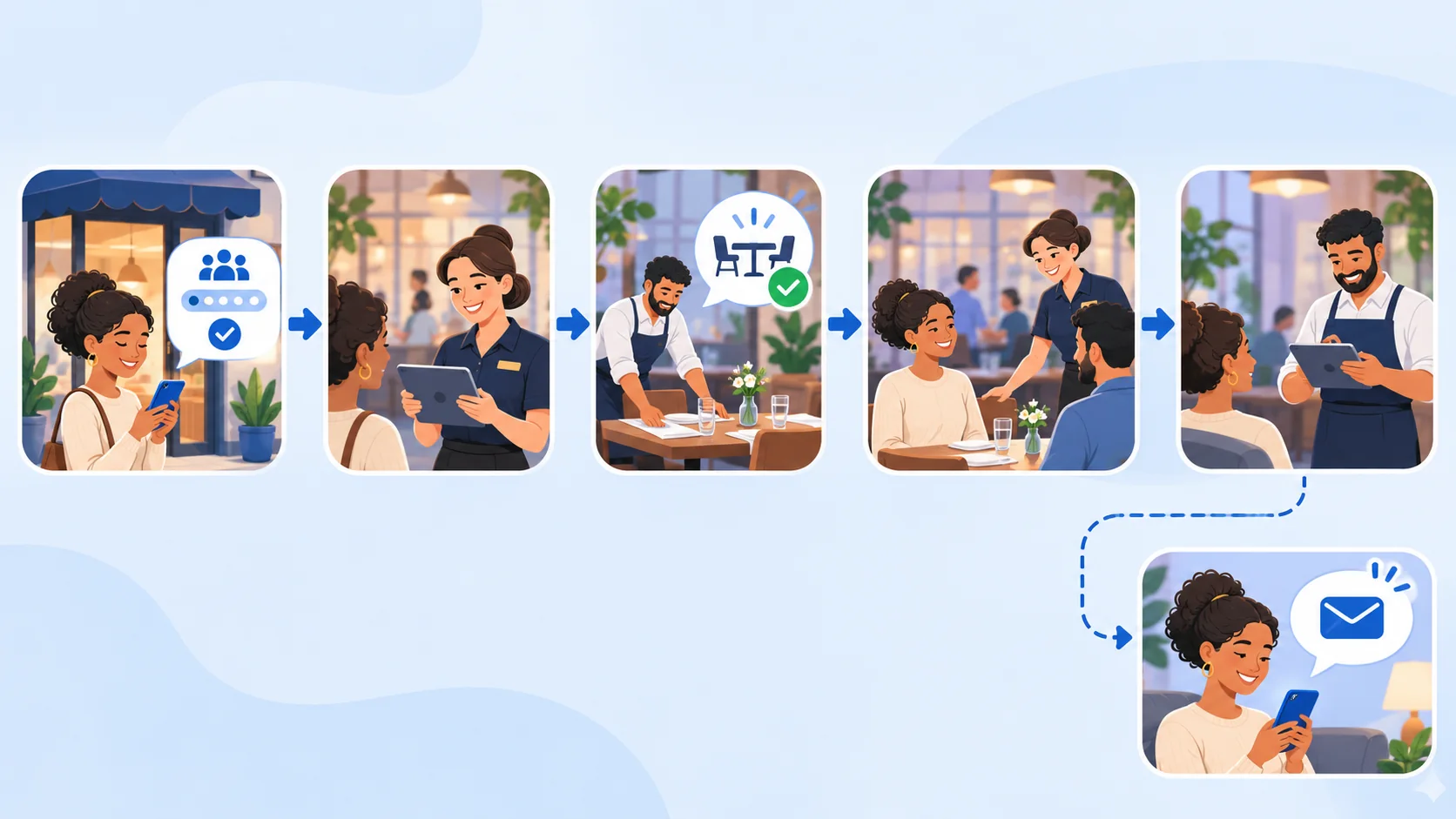
Write the guest journey on one page before choosing fields or signs. A practical map might include arrival, greeting, check-in, reservation or walk-in verification, waiting-area direction, table readiness, seating, service, visit completion and optional feedback. Name the employee responsible at every handoff. If two systems are involved, write down which system controls the next action.
The map should expose gaps. Who notices a new mobile check-in during a rush? What happens if a guest scans but walks away? Which employee closes the record, and at what moment? How does a host handle a guest who cannot or does not want to use a phone? If the restaurant has a true waitlist platform, which identifier lets staff match the ReviewDoctor check-in to the waitlist without copying unnecessary contact information?
Keep the feedback step separate from the operational journey. A completed visit may make a guest eligible for an optional invitation if the guest gave the required consent, but a feedback response should not determine seating, service priority or access to the restaurant. This separation makes staff scripts clearer and prevents an operational check-in from feeling like a condition for public praise.
Define states that employees can recognize consistently
A simple workflow needs a small state vocabulary. For example, “arrived” can mean that the check-in was accepted, “open” can mean the visit has not been completed, and “completed” can mean an authorized employee recorded the agreed operational endpoint. Avoid labels such as “confirmed,” “ready” or “seated” unless the system verifies that event and staff use the label in the same way.
ReviewDoctor check-in records use an open state until an owner or assigned active staff member completes the visit. Completion records the server time and the completing account once. Repeating the action does not rewrite the original completion time. If a completion-triggered feedback invitation is configured, completion starts that workflow; it does not prove message delivery, a feedback response or a published review.
Choose the completion moment before launch. For a general restaurant visit, completion at the end of service usually matches a post-visit invitation better than completion when the guest is seated. If a restaurant uses the open-visitor display only for a waiting area, that display may require a different operational design because the name should leave the public screen when the guest stops waiting. Do not force one record to represent two incompatible meanings.
Keep the guest form short, explicit and easy to complete
Every field should have an operational purpose that staff can explain. A restaurant might need a name to recognize the guest and a contact method for a chosen follow-up channel. It should not collect a birth date, home address, payment information, government identifier or detailed dining preferences merely because the form can store text. Extra fields slow the entrance and increase the information the business must protect.
Use persistent labels rather than placeholder text alone. W3C accessibility guidance recommends identifying form controls with descriptive labels and correctly associating each label with its control. Give format examples where they prevent errors, identify required fields in text and place error messages next to the field that needs attention. A successful submission should produce a status message that assistive technology can announce.
Test the form under restaurant conditions: a small phone, bright daylight near the door, low evening light, one-handed use and an unreliable connection. A guest should understand what the scan does before entering contact details. The success screen should say what happened and what the guest should do next without implying that a table is reserved or ready.
Offer an accessible non-phone path at every entrance
A QR code can be convenient, but it cannot be the only way to receive service. Some guests do not carry a smartphone, cannot scan comfortably, have limited data, use assistive technology or prefer to speak with an employee. ADA guidance for businesses open to the public emphasizes equal access and effective communication, with solutions chosen for the context and the person’s communication needs.
Train hosts to offer a direct alternative without making the guest explain a disability. The employee can complete the same operational step at the desk, provide a written option, speak the information, or use another reasonable method supported by the restaurant. The alternate path should reach the same service outcome and should not add a penalty, longer wait or different seating priority.
Physical placement matters too. Keep the sign within comfortable reach and view, preserve a clear path at the entrance and use a high-contrast instruction that does not depend on color alone. If the waiting line or host counter is part of the service path, include accessibility in the restaurant’s broader facilities review rather than treating the QR code as a substitute for accessible service.
Separate operational contact from marketing permission
A guest may provide contact information to support a specific visit without agreeing to future promotions. A status update, a feedback invitation and a marketing offer are different purposes. The form and staff script should state which message is being requested, whether it is optional and how the guest can decline without losing restaurant service.
Do not preselect a marketing choice or hide it inside the check-in button. If the restaurant wants promotional email or text permission, present a separate disclosure and store the decision separately. A service record should not be copied into a campaign list merely because the guest entered a mobile number. The restaurant should also review applicable federal and state rules with qualified counsel because message requirements vary by purpose, technology and jurisdiction.
FCC materials emphasize consumer control over robocalls and robotexts, including the ability to revoke consent. An operational design should make opt-out requests easy to recognize and honor. ReviewDoctor’s check-in follow-up uses recorded channel consent and business-scoped suppression; existing email and SMS jobs do not infer permission from one another.
Give the host stand one reliable operating view
During a rush, employees need a view that answers only the next questions: who arrived, which station recorded the visit, when it began and whether it is still open. A dashboard full of marketing metrics or unrelated customer history slows the handoff. Keep the operational list close to the host’s task and move configuration, templates and analytics to owner settings.
ReviewDoctor’s visitor logbook can be accessed by the business owner and assigned active staff for that location. It supports a selected local calendar day, server-side search, open or completed status filters and explicit pagination. A staff member cannot query another location, change owner settings or use revoked access. Those boundaries matter more than a shared password taped under the host stand.
Assign individual access and remove it when responsibilities change. Decide who can complete visits, who can export records and who handles disputed entries. The FTC’s security guidance recommends restricting access based on business need and limiting administrative access. A shift role should receive the minimum capability needed to perform the shift.
Show only necessary information outside the private logbook
A public waiting-area screen has a different audience from the staff logbook. Guests in the room do not need another person’s email address, phone number, visit ID or full surname. If the restaurant displays names, use the smallest useful identifier and tell guests how the display works. Offer a private alternative for anyone who does not want a name shown.
ReviewDoctor’s optional live waiting-area design is disabled by default. When the owner enables public name display, it shows first names and last initials, up to five entries per page, and removes a completed visit on a later successful poll. It does not send contact details or full surnames to the screen. It is informational and does not establish queue order, table readiness or an estimated wait.
That limitation should appear in staff training. A host should not point to the TV as proof that one party will be seated before another. Duplicate names can represent separate visits, and a stale screen can occur during a connection problem. If the display is used, employees still need an authoritative seating process and a manual way to confirm a guest’s identity.

Plan alerts and handoffs for a noisy dining room
A new check-in has value only if the right employee notices it. Define the monitored device, the person responsible on each shift and the fallback when sound is muted or the tablet loses power. Use both visible and audible cues where appropriate, but do not rely on a sound that a guest could mistake for a table-ready notification.
Create a short handoff statement such as, “Party checked in at the front station; reservation status still needs verification.” The sentence separates what the software recorded from what the host must confirm. During a shift change, review open entries, exceptions and the status of the true reservation or seating system rather than assuming every open record is still physically present.
Document recovery steps. If the dashboard is unavailable, use the restaurant’s normal paper or reservation-system process and continue serving guests. When service returns, reconcile records carefully rather than creating duplicates. A customer-facing technology should improve coordination without becoming a single point of failure for entering the restaurant.
Use completion as an audited operational action
Completion should be a deliberate staff action with a defined meaning. The employee should verify the correct record before selecting it, especially when names repeat. The audit should identify the account and time, and repeated clicks should not restart a follow-up timer or create another message. Managers should review exceptions rather than allowing employees to close records in bulk at the end of the week.
In ReviewDoctor, owner and assigned staff completion is location-scoped and saved once. An open visit can be searched in the logbook, and the same record can appear on its check-in date and its later completion date. The logbook preserves the distinction between the arrival time and completion time. The view does not prove that the person remained physically present throughout that interval.
If feedback is triggered by completion, choose a delay that fits the service experience and test it with fictional contacts. A short restaurant visit and a long private event may need different operating choices. Provider acceptance of an email or SMS is not proof that the guest received, opened or acted on it, so reporting should keep those states separate.
Keep feedback optional, neutral and independent of service
A post-visit invitation should ask for honest feedback without predicting the rating or tying service to a response. The guest should be able to decline the invitation and still receive the same table, meal and hospitality. Staff should not ask to inspect a public review before completing the visit or offer seating priority, discounts or loyalty credit for a favorable rating.
ReviewDoctor’s signed follow-up link returns to the existing Great and Not Great experience. Customers can send private feedback, and the public Google review option remains available regardless of experience when the business has configured it. A Google-link click is an engagement event, not confirmation that a review was posted. The system does not promise ratings, rankings or sales.
Treat the invitation as one part of a broader service-recovery process. Urgent food-safety, payment or accessibility concerns need the restaurant’s established response channel, not a delayed feedback form. Staff should escalate the issue based on its content and urgency rather than the sentiment button selected by the customer.
Set retention and export rules before launch
The FTC advises businesses to know what personal information they hold, keep only what they need, protect retained data, dispose of data that is no longer needed and plan for incidents. Translate those principles into a written restaurant rule: which records are created, why they are kept, who may export them, where exports are stored and when they are deleted.
ReviewDoctor retains check-in records and related SMS delivery records for 365 days from check-in, while messaging jobs use a shorter maximum age so old records do not revive old invitations. The processor performs expiry cleanup. A CSV export contains only the matching records that have been loaded, and spreadsheet-like formula values are escaped. Employees still should not download exports to personal devices or email them casually.
Retention in the product is not permission to keep separate copies indefinitely. If the restaurant needs a shorter internal period or is subject to a stricter requirement, its policy and operating process must reflect that decision. Document how the business handles access, correction or deletion requests under applicable law and route legal questions to qualified counsel.
Measure operations without inventing a conversion funnel
Useful operating measures include arrivals by station, open visits, completed visits, time between recorded arrival and completion, follow-up jobs queued, provider-accepted messages and feedback responses. Define each measure before comparing periods. An open record is not a person visibly waiting, and a long interval can reflect a missed staff completion rather than slow service.
Keep reservation, seating, sales and review data in their own systems unless there is a documented, privacy-conscious integration. A check-in does not prove a purchase. A message accepted by a provider does not prove delivery. A Google-link click does not prove a review. A public review does not prove it came from a particular check-in unless the platform and consented data actually establish that relationship.
Use anomalies to improve the process. A spike in open records may indicate a missed checkout routine. Concentration at one station may show where guests prefer to scan. Repeated searches for the same party may indicate unclear naming. These are operational questions, not automatic evidence of customer satisfaction, loyalty or revenue impact.
A hypothetical Friday-night restaurant walkthrough
Hypothetical example: a neighborhood restaurant places a clearly labeled check-in QR code near the host stand and keeps a staff-assisted path available. A walk-in guest scans, reviews the purpose of the form and submits the required operational details. The success screen confirms that the arrival was recorded and tells the guest to speak with the host. It does not promise a reservation, queue position or quoted wait.
The host verifies the party in the restaurant’s separate table-management system and uses that system for seating decisions. The ReviewDoctor entry remains an open visit. At the end of service, an authorized employee verifies the correct record and completes it. Because the guest separately agreed to the configured follow-up channel, the system schedules an optional invitation under the saved settings.
The restaurant reviews the next week’s log for missed completions and staff handoff problems. It does not claim that check-in increased sales, reduced waits or produced reviews. This walkthrough is hypothetical and reports no ReviewDoctor customer result, testimonial, rating improvement, retention change or revenue outcome.
Audit the workflow before every busy period
Before launch, test the QR code, form labels, error messages, success message, assisted alternative, owner view, staff view, search, completion, consent record, opt-out path and configured feedback delay using fictional information. Confirm that the true reservation or table-management system still controls seating. Verify that the public display is disabled unless the owner intentionally enables it and that its wording does not promise queue order.
Before each busy period, check device power, network access, employee sign-in, sound settings and the fallback process. Review who has staff access and revoke accounts that no longer need it. Place the sign where it does not block an accessible route. Make sure the host script explains what check-in records and what it does not do.
After service, reconcile open entries, review exceptions and correct the process rather than editing records to create a cleaner report. Revisit FCC, FTC, ADA and W3C guidance when the workflow, messaging purpose or interface changes. The best check-in process is modest and dependable: it records the right event, gives staff a clear next action, protects guest information and keeps optional feedback separate from service.